Strategy
The strategy, on one page. Read all year.
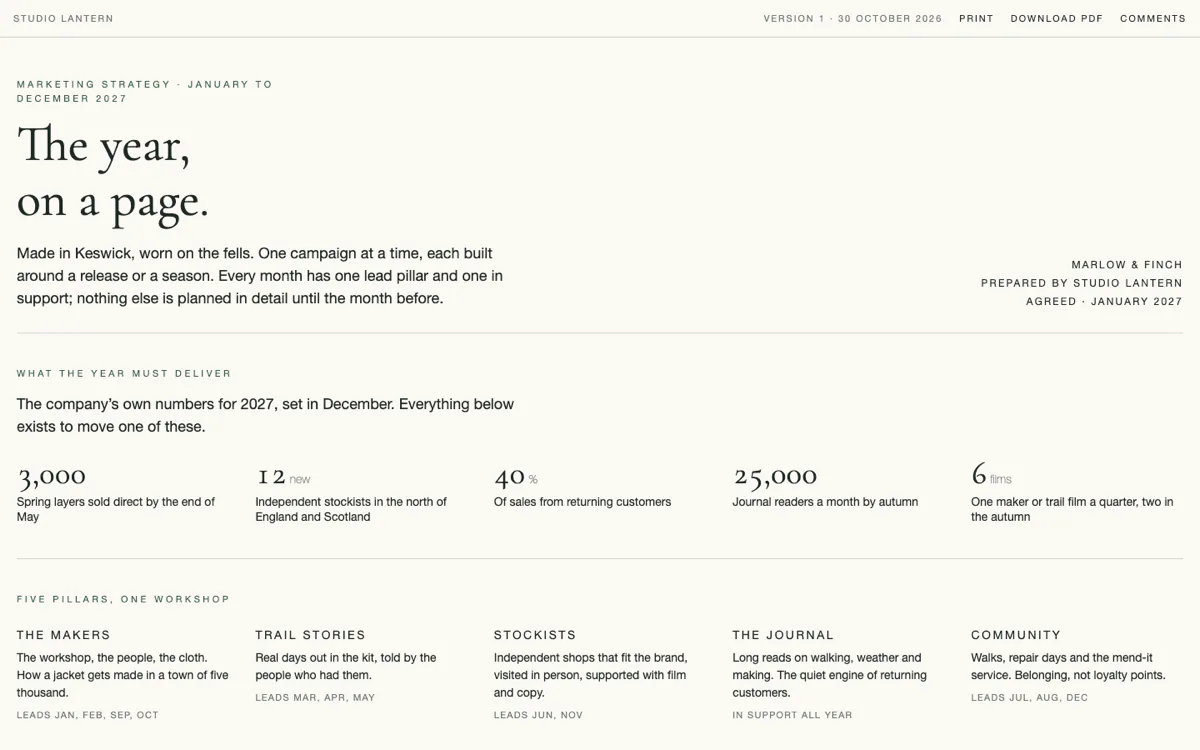
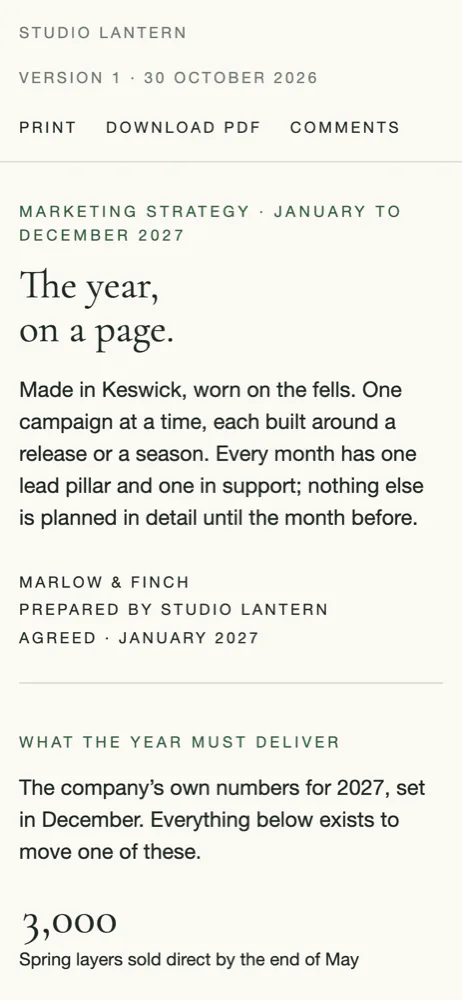
Write the year as one page in your client’s own look: the targets, the pillars, what happens each month. Publish it to a private link. The client reads it, comments where the words are, and prints it for the wall.
15 days free on every plan. No card needed.
The problem
Forty slides, presented once, then filed.
The thinking was good. The format let it die. By the second quarter nobody can say what the plan was, someone is editing a copy of a copy, and the monthly report has drifted from the strategy it was meant to measure.
How it works
Write it once. Publish it. Keep it true.
- 1 · Write
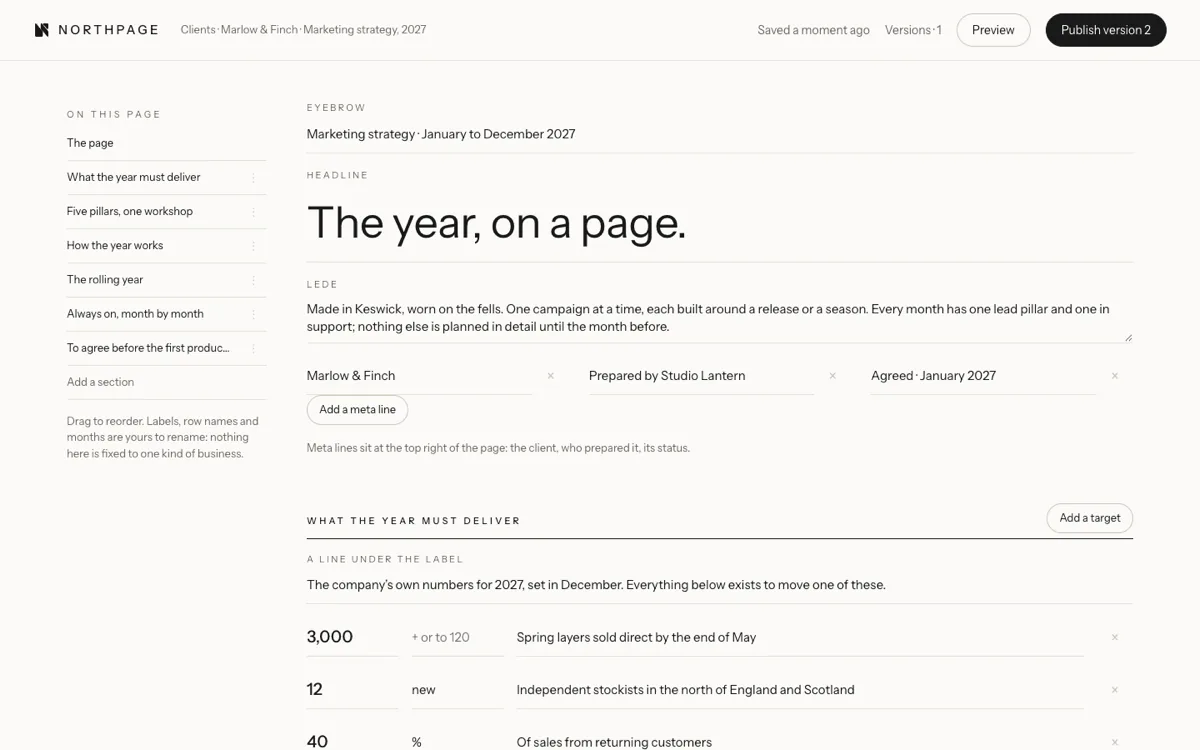
Sections, not slides.
Targets, pillars, how the year works, a rolling year with one row per month, a content plan and what to agree. Nine section shapes, each designed once. Add what you need and rename anything.
- 2 · Brand
Every client in their own look.
A palette, a headline font and a text font, from Google Fonts or Adobe Fonts, and a logo. The page reads as theirs, not as a tool. White label puts your studio’s mark on it instead of ours.
- 3 · Publish
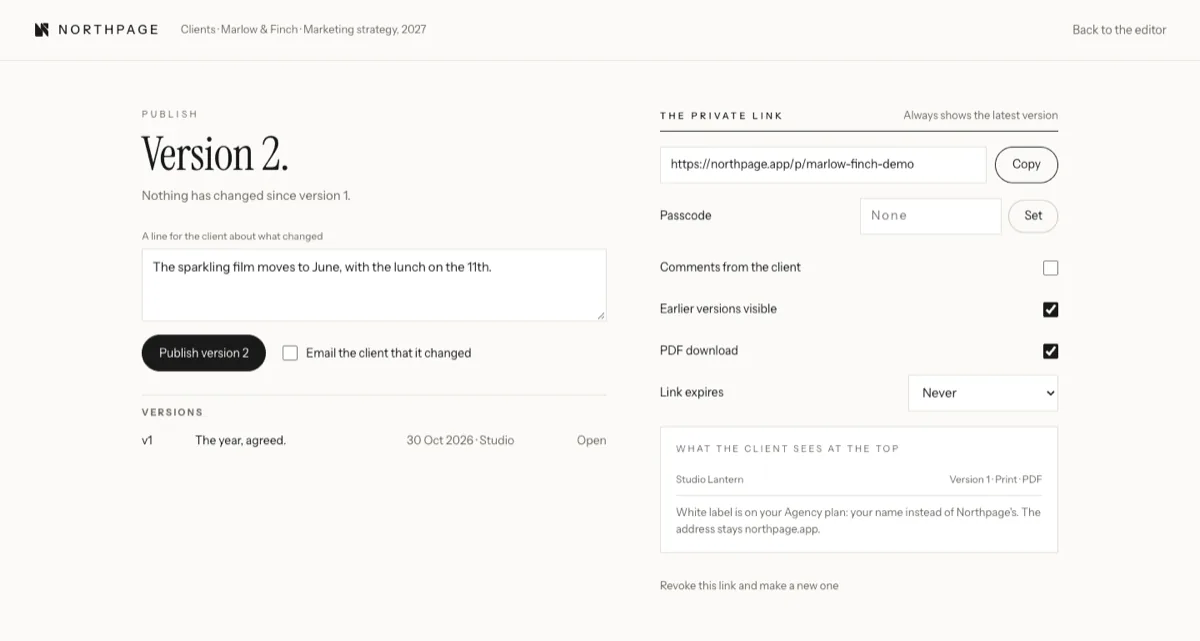
A private link that never goes stale.
Publish to a link with a passcode if you want one. Every publish is a numbered version with a note on what changed. Change the strategy, not the link.
- 4 · Comments
Comments where the words are.
Clients comment on the exact line, on a phone or a laptop, with no account. You answer in the same place, the email quotes it, and the page keeps the record.
- 5 · Keep it true
Versions, not attachments.
The client always sees the latest and can open the earlier ones. Your AI assistant can draft the changes; a person on your team always publishes.
The details
Everything a strategy needs. Nothing it does not.
Nine section shapes
Targets, pillars, the rolling year, a content plan, milestones, what to agree and more. Each laid out once, properly.
A rolling year
One row per month, so the page always shows what is next and what has been done.
Their fonts, their logo
Google Fonts or Adobe Fonts, a palette and a logo per client. Every strategy for that client is set in them.
Private links
One link per strategy, with a passcode if you want one. Stop it or change it at any time.
Numbered versions
Every publish has a number and a short note. Earlier versions stay one click away.
Print and PDF
A3 landscape with every month on the sheet, matching the screen.
The client portal
Clients and approvers sign in to see every page, plan and shoot made for them, in one place.
Your own AI assistant
Connect Claude, ChatGPT or Grok. It reads and edits the draft; only a person publishes.
The ⌘K menu
Press ⌘K, or Ctrl K, to jump to any client, strategy, plan or shoot, or start a new one.
Who it is for
For anyone whose plan has to be read, not filed.
For agencies
Ten clients, ten looks, one login.
Each client’s strategy in their own brand, your mark on top. Comments come back to the team. When the strategy moves, the link does not.
- White label on every page
- Versions the client can see
- Works with Claude, ChatGPT and Grok
For brands
The plan the whole team can read.
Keep the year on one page, share it with the board, the agency and every new starter, and update it the month before each quarter.
- Unlimited pages
- Five seats
- PDF for the wall
For freelancers
A finished page, not a deck.
Look bigger than you are. A few clients, each with a strategy that looks like theirs and a link that stays current.
- Your name on the page
- Set up in five minutes
- Clients never pay
Questions
What people ask first.
- Do my clients need an account to read it?
- No. They open the private link, type the passcode if you set one, and read, comment and print. Clients who approve content can sign in to the client portal to see every page made for them in one place.
- Is it only for marketing strategies?
- It suits anything that runs across a year or a quarter: a marketing plan, a brand plan, a launch. You name the sections. When the plan turns into posts and shoots, Content and Production sit beside it.
- Can I print it?
- Yes. Every published page prints, or saves as a PDF, at A3 landscape, with every month on the sheet, ready for the wall or the board pack.
- Can my AI assistant write it?
- It can help. Connect Claude, ChatGPT or Grok with one address and it can read your strategies and edit the draft. It can never publish: a person on your team always does.
- What does it cost?
- Strategy comes with every Brand and Agency plan: Brand is £29 a month for one client, Agency £99 a month for up to ten. Every plan starts with a 15-day free trial, no card needed.